
Building in public takes hours for every update. You write the update, record the footage, edit it, add a voice-over, and then post it on each platform. Most progress is never shown, because there is always more code to write than posts.
That's why we created Devlog Studio. It does that work for you, with your own AI coding agent, Claude Code or Codex. It reads what you did today and turns it into a narrated video, an article and a short social post. You check and approve each one. It's open source under the MIT licence.
This tour follows the order in which you use the app. The screenshots show a demo project called Grand Prompt Auto. It's an invented game, and its activity and statistics are made up. You can see the generated devlog video at the end of this article. If you prefer hearing this article on YouTube, you can find a video that Devlog Studio made about itself here.
It starts with a calendar that already knows what you did
Devlog Studio reads the project's Git history, your notes and the screenshots and videos you upload. From these, it suggests topics for posts on a calendar, dated on the day the work happened. Select a day to see its suggestions in the sidebar, next to the commits, notes and materials behind them.
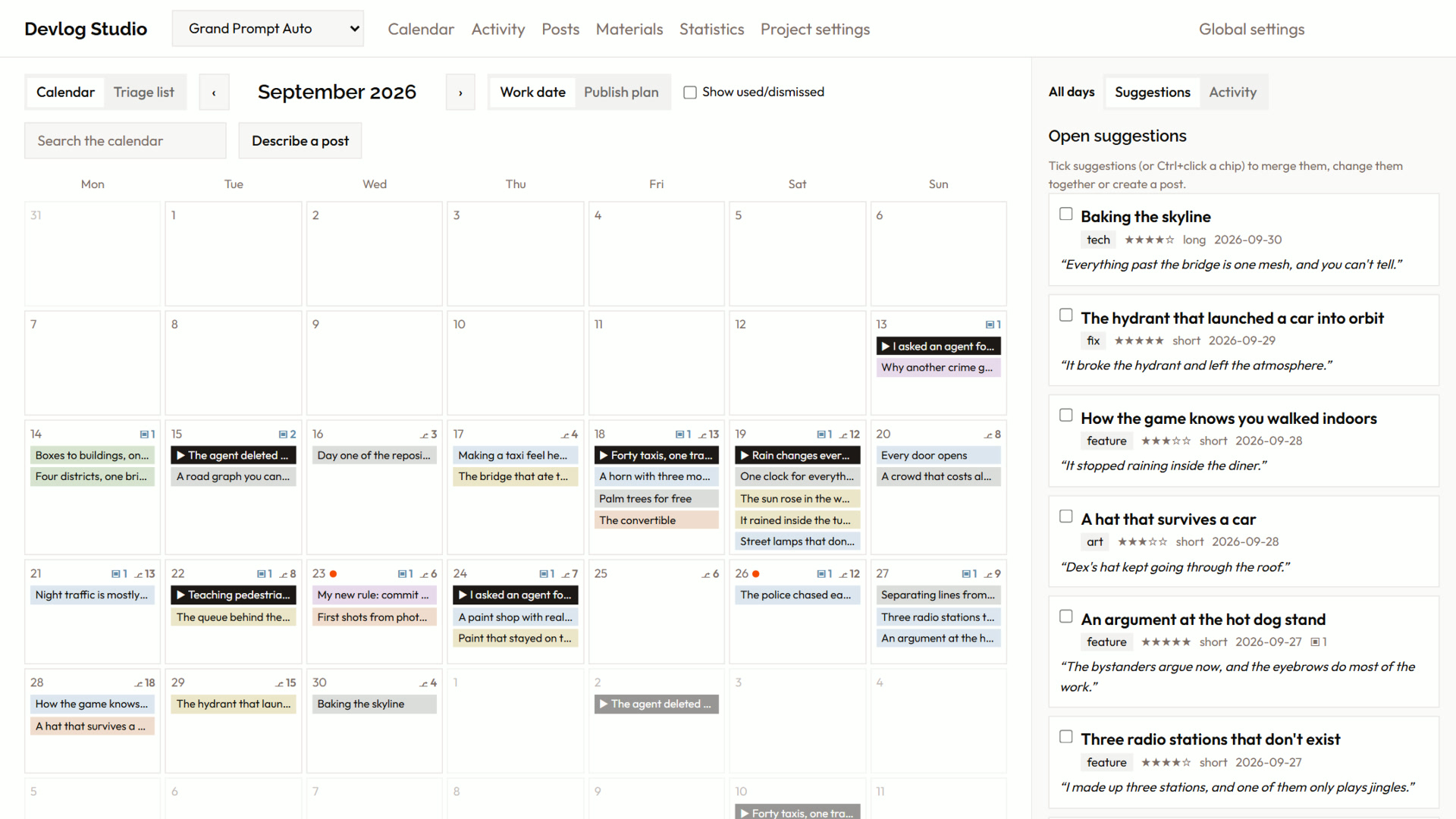
There are a few ways to fill the calendar:
- Propose changes since last check reads commits, notes and materials that are new since the previous check.
- Backfill history goes through a past date range, one week at a time, so a project that has run for months starts with a full calendar.
- Describe a post takes what you want to say, including work you no longer have footage of. It searches the evidence around that date and returns one draft. The draft lists which shots it has material for and which you still have to capture.
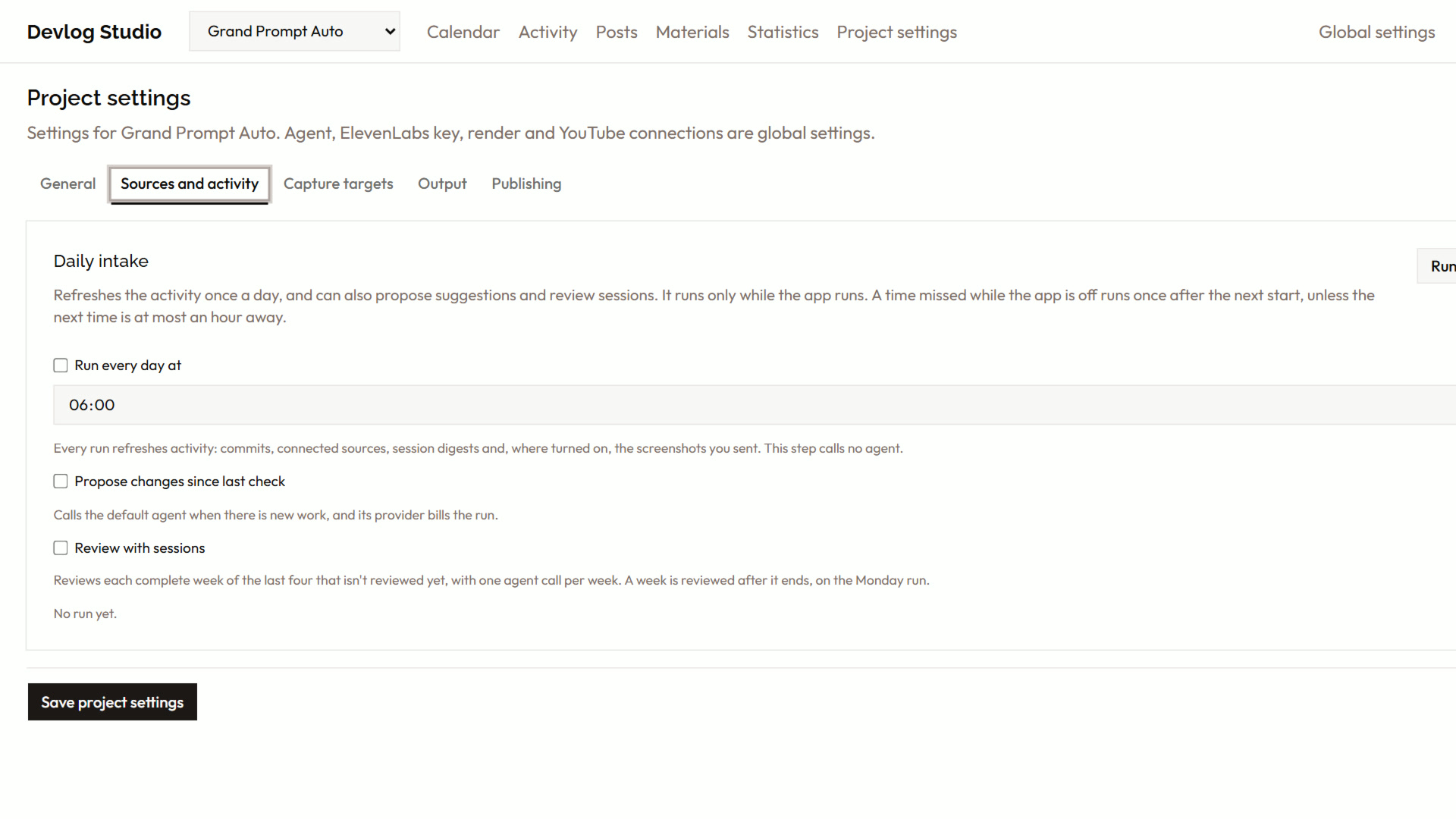
You don't have to remember to press any of these. The daily intake in the project settings runs at a time you choose. It always refreshes activity, which calls no agent. You can also tick the steps that call your agent: propose changes, propose from news feeds, and review with your AI sessions.
Materials and activity give the agent the real story
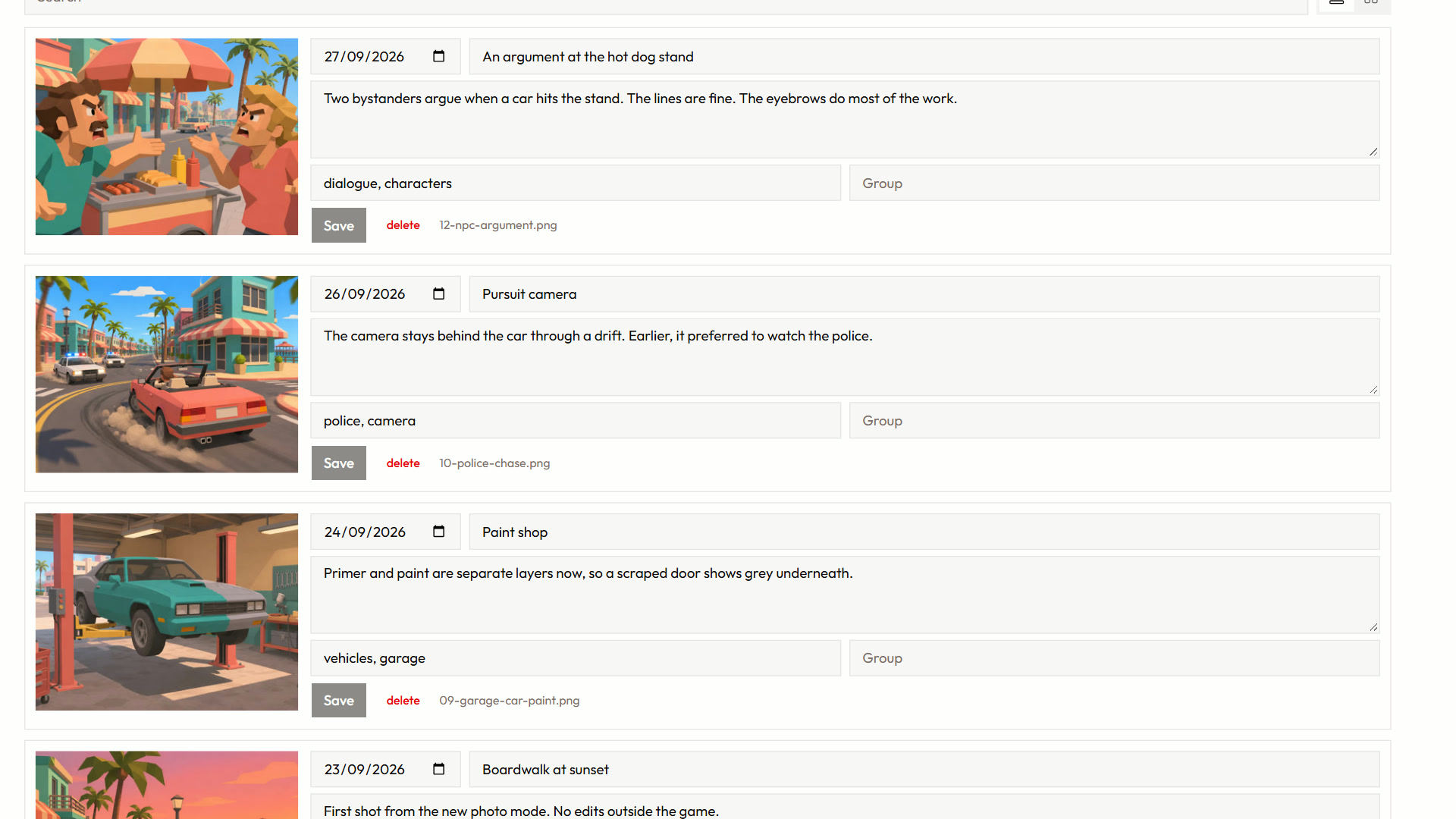
Commits tell you what changed. They don't tell you about the version you threw away. On the Materials page, you upload screenshots and videos with the date they show and an annotation: the experiment, the bug or the abandoned idea. That annotation is often the best line in the finished video.
The Activity page shows the work day by day. It can also read your Claude Code and Codex session logs, which are off by default. The logs are read on your computer, and the app stores only a short digest per session and day, with secrets removed. The page groups a session with the commits it produced. The agent then knows why a change happened, not only that it happened.
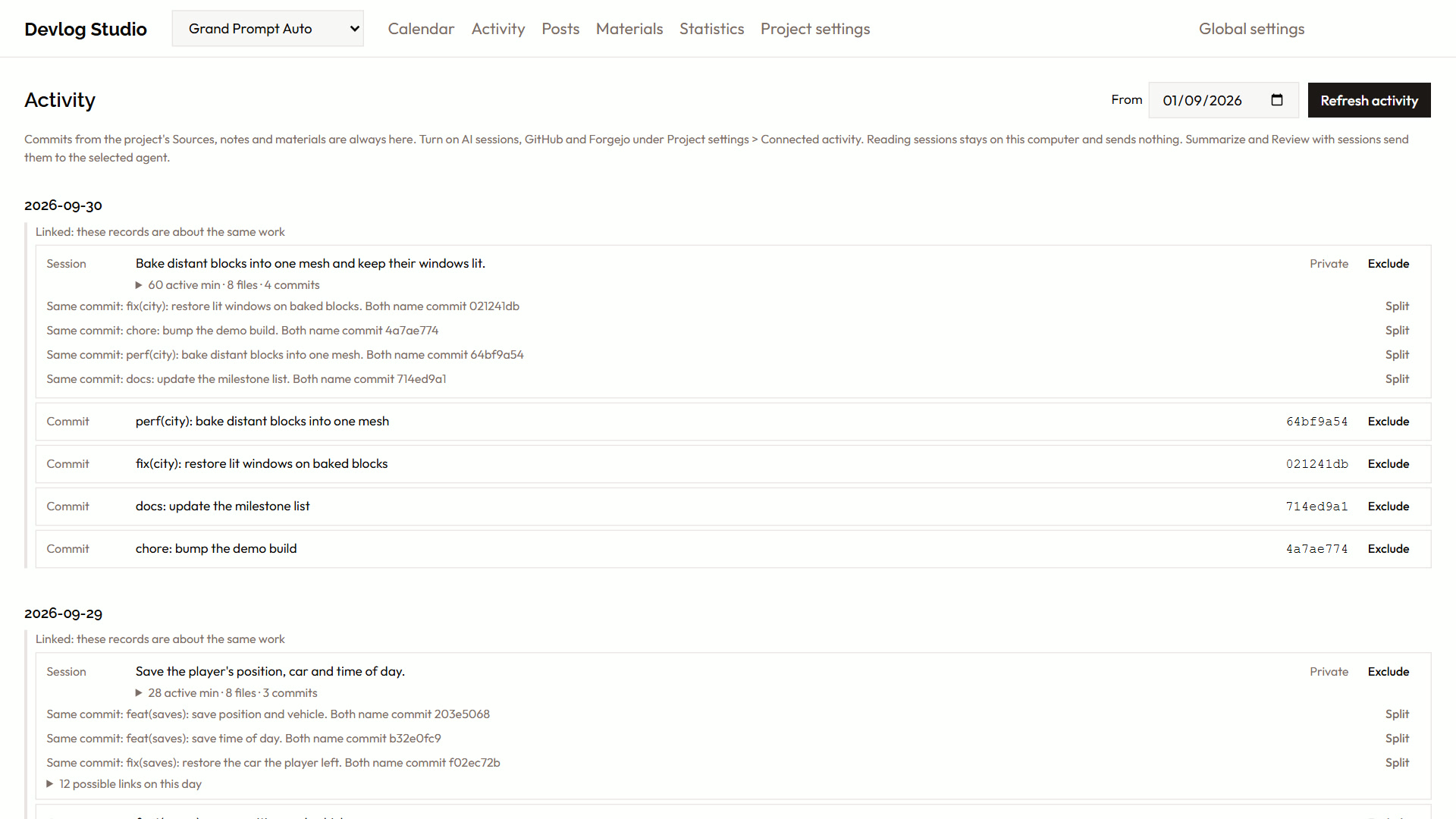
The app can also read news feeds: text files that your project commits, such as a daily news brief. Each entry can become one briefing of its strongest stories, or one suggestion per story.
From Triage to Script
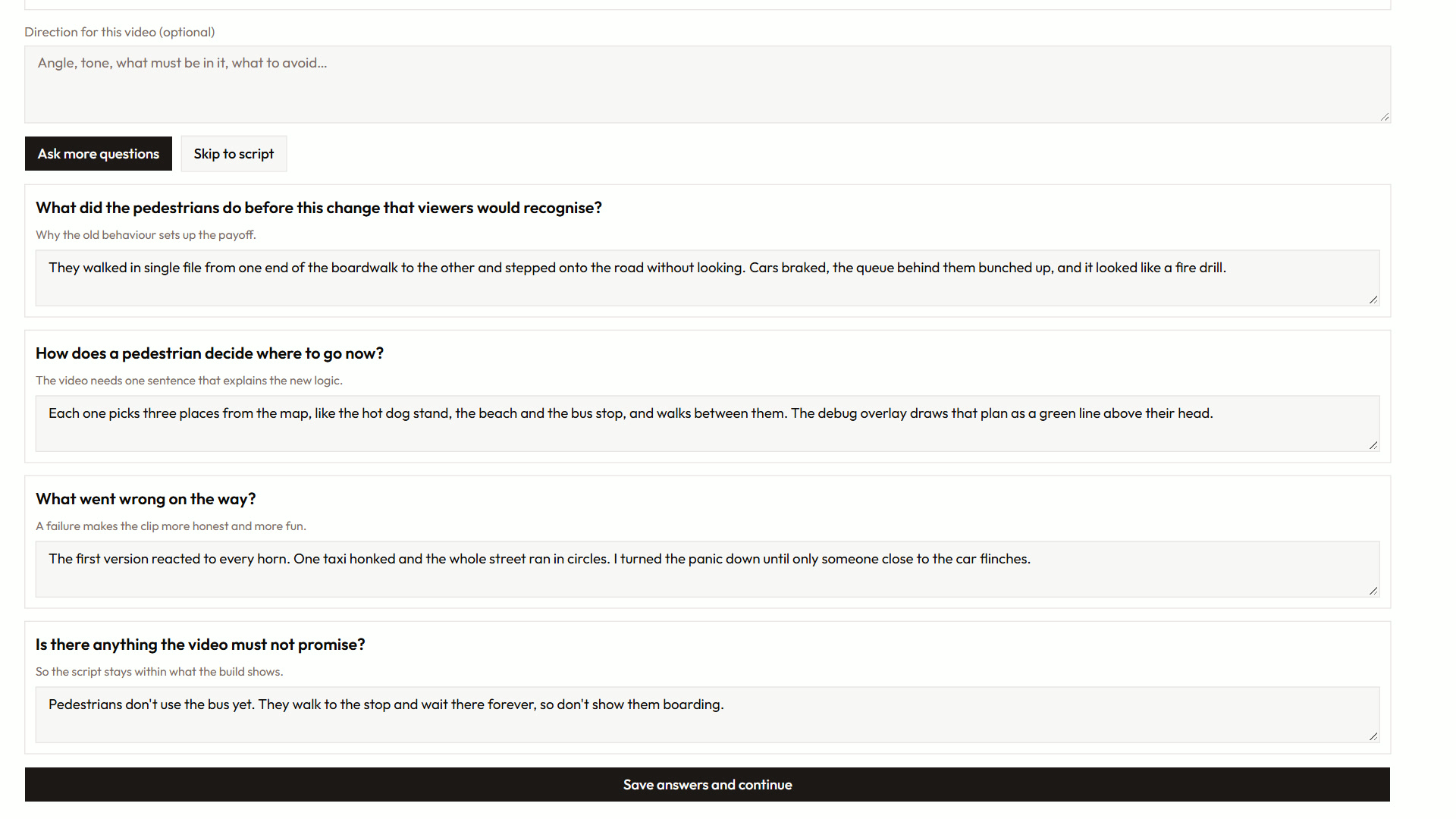
In Triage you approve, dismiss, merge or schedule suggestions. Then you turn the approved ones into a post. The agent researches the repository and asks you up to six questions before it writes anything. This step matters most. Your answers set the tone, the facts that the video can claim, and what it must leave out.
The agent writes narration and a shot list for each format: a vertical Short and a landscape video. Each segment shows one visual:
- A webpage shot, filmed in headless Chrome. The page scrolls, zooms toward a focus point, or holds while a marker sweeps across a sentence the narration quotes. It can use a phone or a desktop layout. Pages behind a sign-in can't be filmed yet.
- An editor shot from the open Unity editor or Blender file. A target object is framed automatically, and you can add camera moves such as orbit and push.
- A material you uploaded, or an image that Codex generates from the segment's description.
- A slide: a title, bullets, a before/after or a stack of polaroids in your theme.
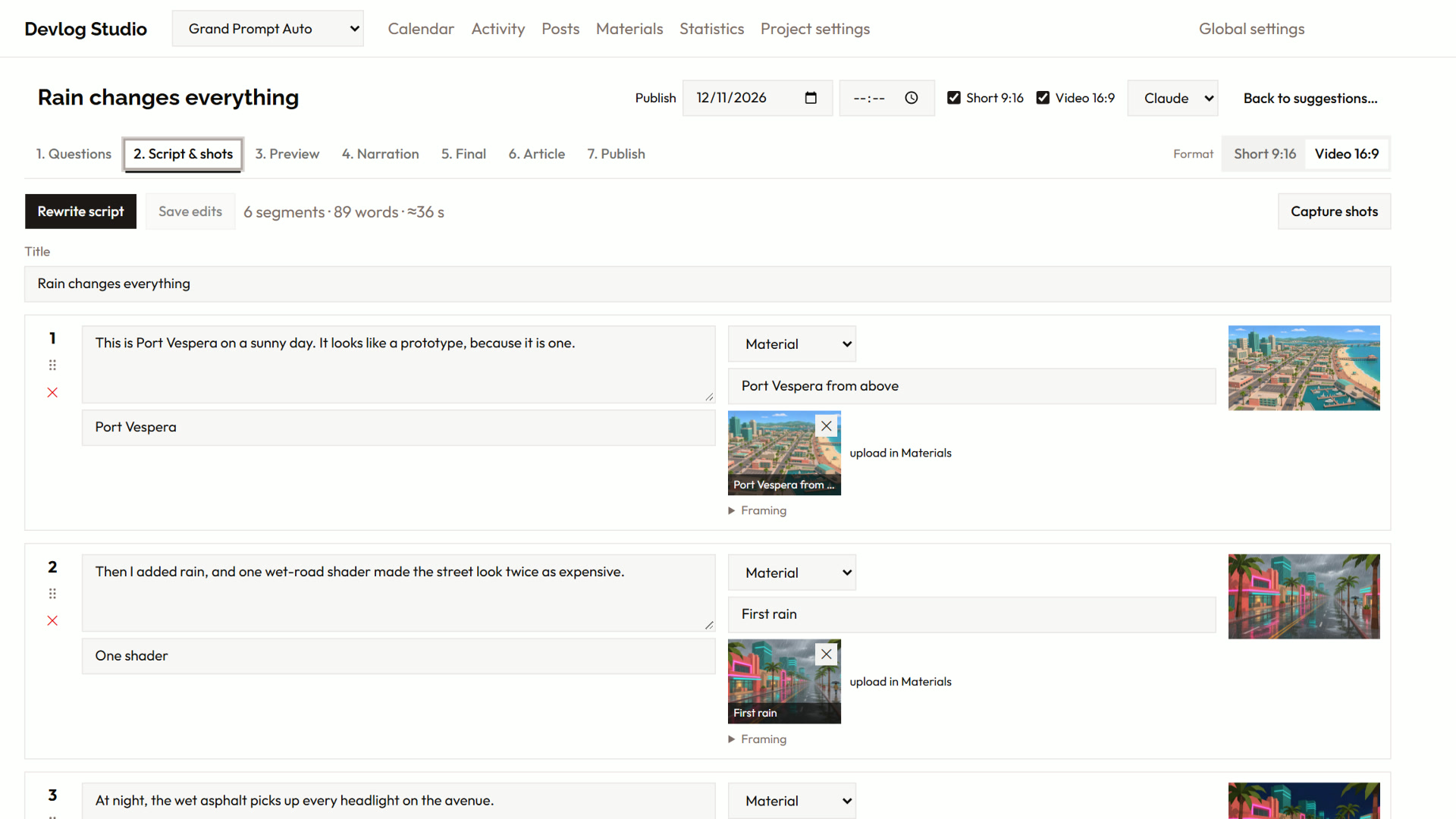
After the script is written, a second agent run reads the narration in order as a viewer would. It fixes lines that don't follow, and the log gives a reason for each change.
If you prefer a conversation to a monologue, an optional AI co-host can ask the questions a viewer would ask. The app checks the co-host's factual claims against your answers and the evidence. You can't upload the video while a claim is still flagged.
Preview, narration, final
The preview player uses the same drawing code as the export. What you see is what you get, and the preview costs no credits with ElevenLabs, the voice service that speaks the narration. Before narration, the app shows how many characters are billable, and it runs only after you confirm. Audio is cached, so unchanged lines are never billed twice. The final render writes a full-resolution MP4 with subtitles and a text file with the title, description, tags and chapters.
Here's a devlog generated from the sample content in this article:

Clicking play will embed the YouTube player and may set third-party cookies and collect data from YouTube.
Publishing, and what it doesn't do
Videos upload to YouTube. The article and short texts go to Bluesky, LinkedIn, a folder or a Git-based site. Shorts suit Instagram Reels and TikTok, but you post them there by hand. The app doesn't upload to those platforms.
Nothing posts by itself. Each destination goes out only after you approve it, and if you edit it, you have to approve it again.
The Posts page shows every post's stage and destinations. Needs attention shows the posts with a failed publication or a missed publish time. Statistics collects views, likes and comments from every platform in one table.
Make it look like yours
The theme sets the slide colours, fonts, logo and backgrounds, plus an optional intro and outro with their own music. An extension adds your own bumper styles, the short title animations for the intro and outro, and theme presets without changing the app. You keep your fonts and music in a private repository, and the app stays generic.
Try it
Devlog Studio wrote the first draft of this article itself, from its own README and the demo project. It was then revised by the author.
The code is at github.com/immerstory/devlog-studio. To set it up, paste one sentence into your coding agent; the README gives it. The agents run on your own Claude Code or Codex subscription. You need an ElevenLabs key only for narration.